Native Swift · macOS + iOS · MIT
A CSV editor that doesn’t flinch.
Open a 5 GiB file, fix a cell, write it back. TabTool indexes 77.7 million rows in 2.7 seconds, keeps them in about 90 MB of memory, and never sends your data anywhere.
5 GiB
Largest tested file
68.2M rows × 8 columns
77.7M
Rows in the release app
indexed 2.7 s after launch
~91 MB
Memory after indexing
Apple M4 Pro, 24 GB
2.7 MB
macOS release build
iOS build: 2.5 MB · no Electron
0
Network requests
no analytics, no SDKs
What it does
A small editor with strong opinions.
No formulas, no charts, no plugins. TabTool does the boring parts of CSV work carefully: read the format, let you change the data, write the bytes back.
-
Format detection that reads the file
Encoding, separator, quote style, decimal mark, and header row come from the bytes, not the extension. Every choice stays editable in the format bar.
-
Editing without a spreadsheet
Edit cells, add and delete rows and columns, rename headers, and drag rows or columns into order. Copy and paste ranges as TSV. Undo covers cells, structure, paste, and format changes.
-
Sort from the header, filter from a sheet
Click a column header to sort. On iPhone and iPad, stack filter criteria as cards, switch each one on or off, and apply them without leaving the sheet.
-
Large files are a mode, not a warning
Files at or above your threshold are memory-mapped and indexed in the background. Browsing and cell edits stay on; structural edits and export switch off. Saves stream with progress and a cancel button.
-
Save in the format you actually need
Write the file back, or export with another delimiter, encoding, quote style, decimal mark, and header setting. CSV, TSV, and plain text, in both directions.
-
Nothing leaves the machine
The app is sandboxed with no network entitlement, no analytics, and no third-party SDKs. The App Store privacy label will read Data Not Collected. Your CSV stays a file on your disk.
-
The same editor on iPhone and iPad
A touch-first grid with a keyboard accessory, contextual actions for rows and columns, format and filter sheets, and the same detection and encodings as the Mac.
-
Eleven interface languages
English, French, Spanish, German, Italian, Polish, Belarusian, Ukrainian, Simplified Chinese, Japanese, and Korean, chosen in Settings or following the system.
-
Native code, not a browser in a window
macOS and iOS are pure Swift: a SwiftUI shell, an AppKit grid on the Mac, no Electron and no bundled web runtime. The release build is 2.7 MB on macOS and 2.5 MB on iOS, launches at once, and scrolls at native speed. The Windows and Linux ports are planned in Rust.
Performance
Two million rows, no spinner.
Large files are memory-mapped and indexed in the background, so the first rows appear immediately. This is an unedited capture of the current build scrolling a 109 MB file.
- 2.7 s to index a 5 GiB file with 68.2 million rows on an Apple M4 Pro.
- ~91 MB of memory with 77.7 million rows loaded in the release app.
- 6.3 s to save the 5 GiB file with one edit, streamed with progress and cancel.
Screens
Every state is the real app.
The screenshots below come from the development build on 29 October 2026. No mockups, no composited UI.
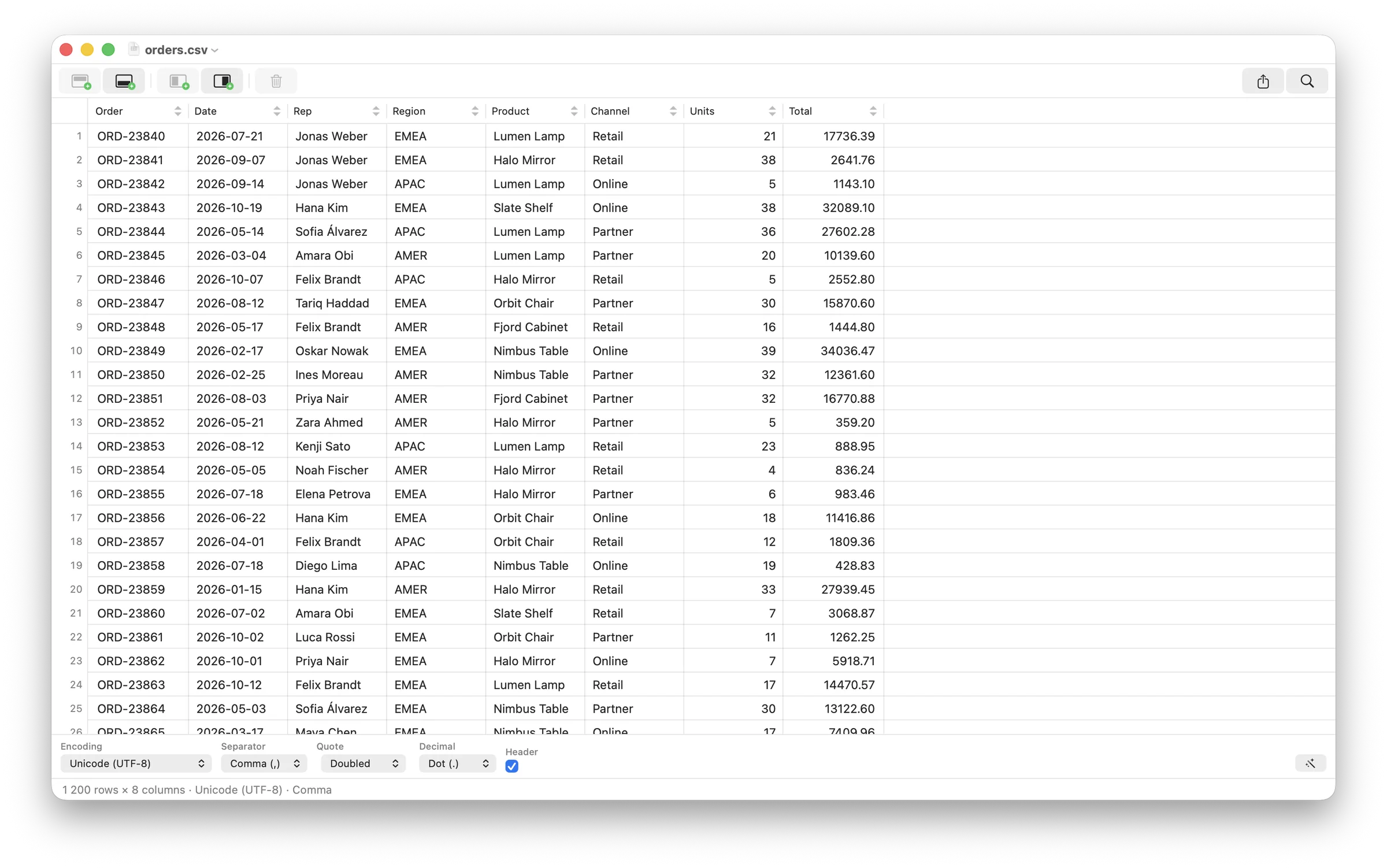
The grid
1,200 rows, 8 columns, UTF-8, comma. The format bar below the grid is the file’s own format, changed in place.
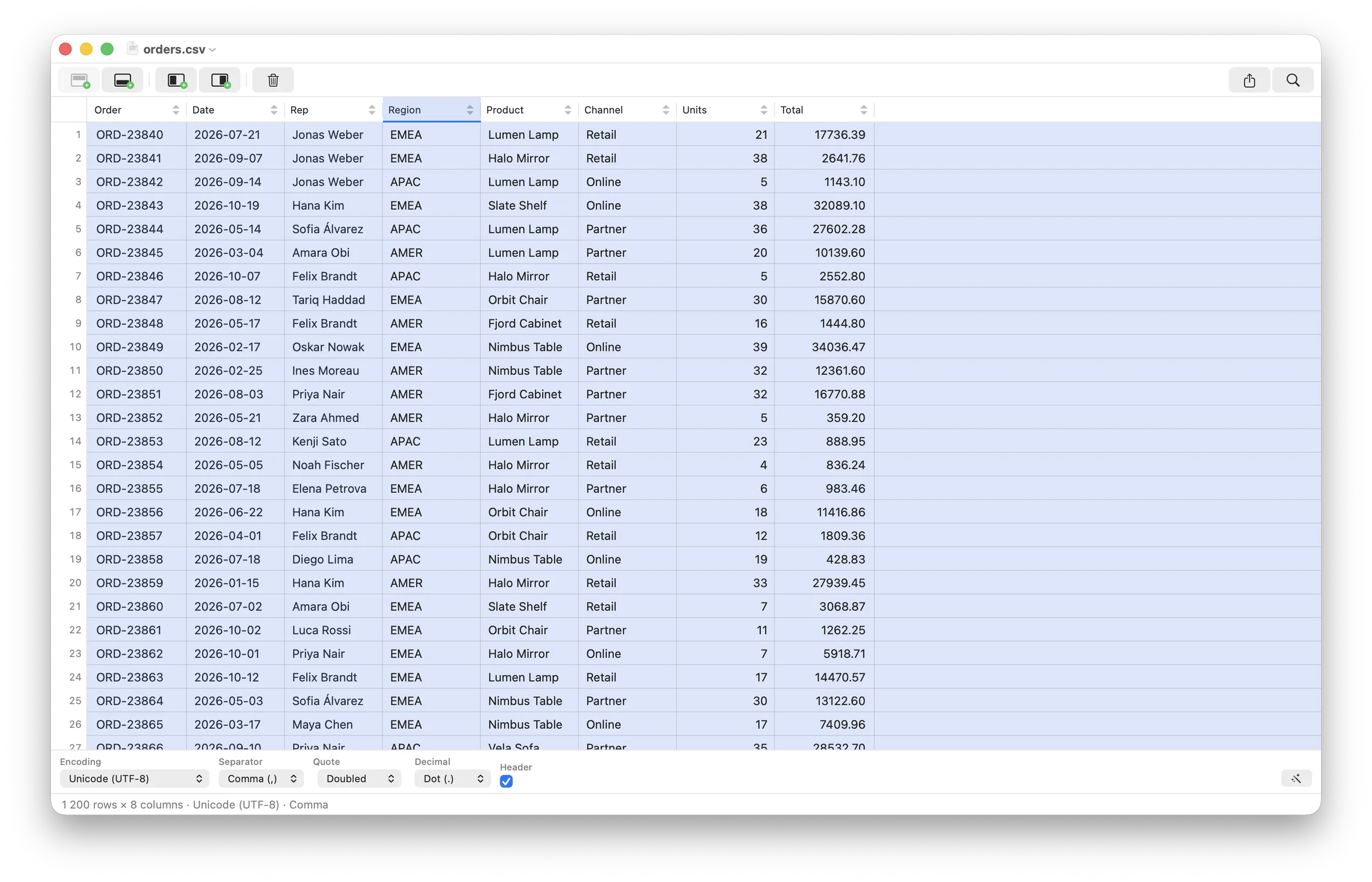
Column selected
Click a header to select the column. Sort, rename, move, or delete it from the header, the context menu, or the Table menu.
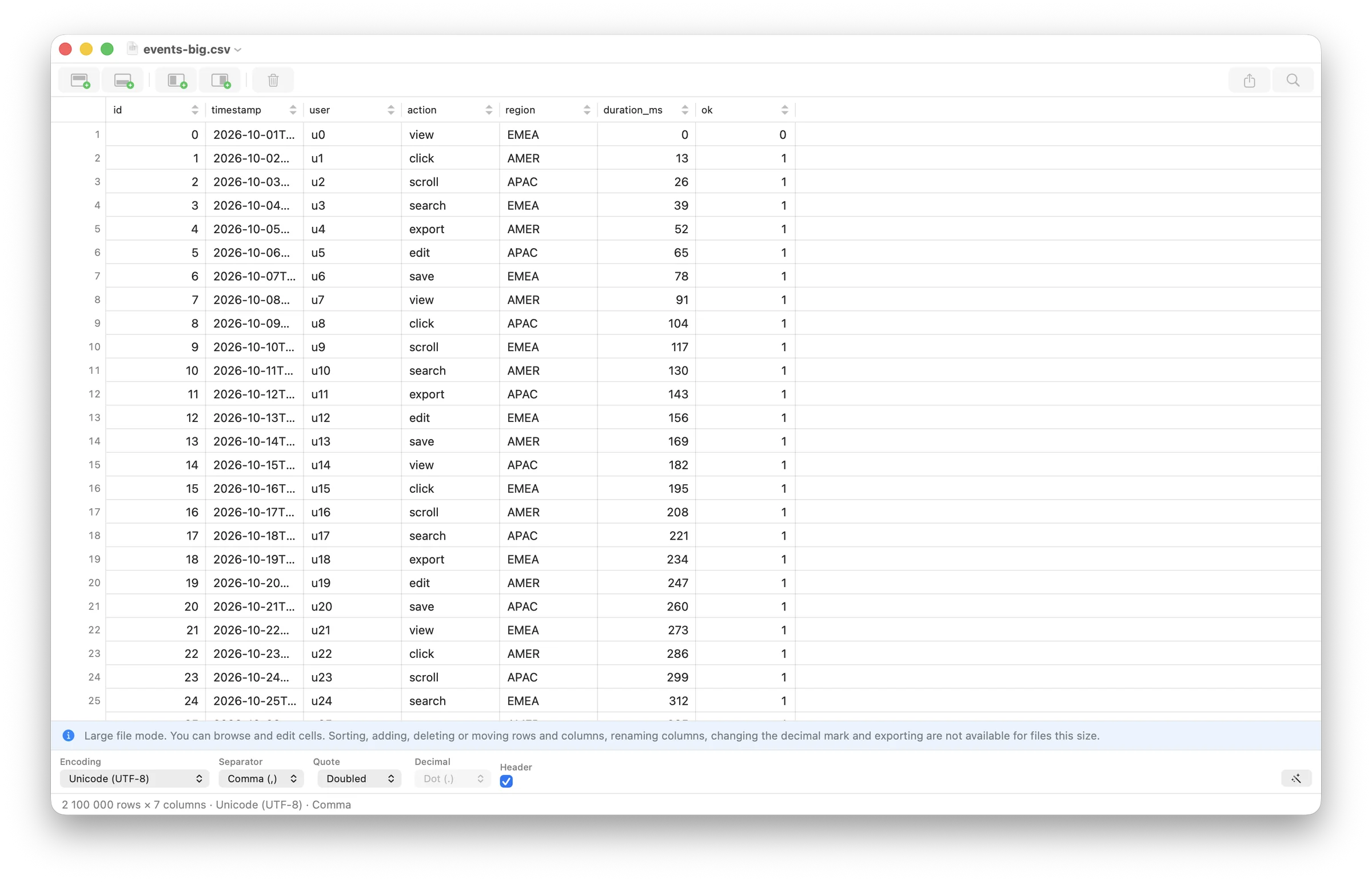
Large-file mode
2.1 million rows in this capture. Structural edits are off; scrolling, jumping, and cell edits stay on. The banner never hides the row count.
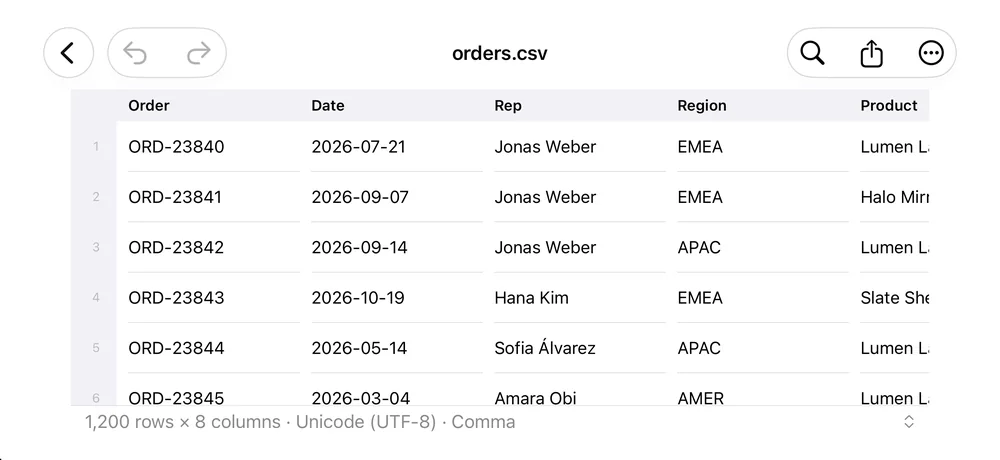
The same file on iPhone
Row numbers, sticky headers, and a status line with the row count, encoding, and separator. The toolbar holds undo, search, export, and the overflow menu.
Open source
MIT, all of it.
The CSV core, the SwiftUI shell, the AppKit grid, the iOS grid, and the tests are in one repository. No license server, no telemetry, no open-core asterisk.
If TabTool saves you a spreadsheet detour, a star is the cheapest way to help other people find it.
# Xcode 27.1, Swift 6.4, XcodeGen 2.46
brew install xcodegen
# clone and generate the project
git clone https://github.com/shurco/tabtool.git
cd tabtool
./scripts/app run macosRoadmap
macOS and iOS now. The rest is planned.
TabTool 1.0 is a Mac and iPhone app. Windows, Linux, and Android are on the list, with no dates attached until real builds exist.
- macOS macOS 14 or later In development 1.0 release checklist in progress. Pure Swift.
- iOS and iPadOS iOS 17 or later In development Same CSV core, touch-first editor. Pure Swift.
- Windows Not started Planned Planned in Rust. No date yet.
- Linux Not started Planned Planned in Rust. No date yet.
- Android Not started Planned Language not chosen yet. No date.
Platforms are planned, not promised. No dates until a build exists. The repository is the source of truth.
Comparisons
Compared with the field.
Five separate pages, each with a feature table and a section on where the other app is the better choice.
- TableTool by TablePlus A paid, polished CSV browser with SQL queries. TabTool is an open-source editor with an iPhone app and a documented large-file mode.
- TableTool by Jakob Egger The original MIT-licensed Mac CSV editor, unchanged since 2017. TabTool is the same idea with a maintained codebase and an iOS app.
- Modern CSV A cross-platform CSV workbench with analysis tools. TabTool is a narrower Mac and iOS editor, and open source.
- CSViewer A free Windows-only CSV viewer built for profiling. TabTool is a Mac and iOS editor, and open source.
- Tablecruncher An open-source CSV editor with JavaScript macros and three desktop platforms. TabTool is MIT-licensed and Apple-only, for now.
FAQ
Questions people actually ask.
Pricing, file sizes, privacy, platforms, and what TabTool deliberately does not do.
Is TabTool free?
The source code is MIT-licensed, so you can read it, build it, and change it at no cost. Pricing for the signed App Store build will be published with the 1.0 release.
When can I download it?
TabTool 1.0 for macOS 14+ and iOS 17+ is in development. Watch the GitHub repository for the first build and the App Store listing. There is no public download yet.
How large a file can it open?
The tested ceiling is a 5 GiB file with 68.2 million rows and 8 columns. It was fully indexed 2.7 seconds after launch, using about 91 MB of memory. Files at or above the large-file threshold open in a read-only structure mode with background indexing; the threshold is a setting, 100 MiB by default.
Does TabTool upload my data?
No. The app is sandboxed and has no network entitlement. There is no analytics, no crash reporting SDK, and no account. Saving writes to the file you opened, and export writes a new file you choose.
Which formats and encodings does it support?
CSV, TSV, and plain text with automatic detection of encoding, separator, quotes, escape character, decimal mark, and header row. Encodings include UTF-8/16/32, MacRoman, Windows Latin 1 and 2, GBK, ISO Latin 2, Cyrillic, Greek, Turkish, and Japanese. XLSX, ODS, JSON, and database formats are not supported.
Does it have formulas, styles, or charts?
No, by design. TabTool is a CSV editor: cells, rows, columns, sorting, filters, and format conversion. For formulas and charts, a spreadsheet is the right tool.
Status
The source is ready.
The store builds are next.
TabTool 1.0 is in development for macOS 14+ and iOS 17+. Follow the repository for the first build, the release notes, and the Windows, Linux, and Android plans.